 StowerMessages
They texted last, you haven’t replied. Kept in view instead of scrolling away, with real questions ahead of small talk.
Mac · runs on-device · brand new (0.x)
Inbox zero for iMessages. Only for the people you care about.
You start texting a reply, get pulled away, and it’s gone. Conversations you meant to answer disappear into a long list. StowerMessages tracks who you want to reply to and follow up with. It saves your drafts. Pick it back up whenever you’re ready. Only on your Mac. Fully local and private.
Only available on the Mac App Store.
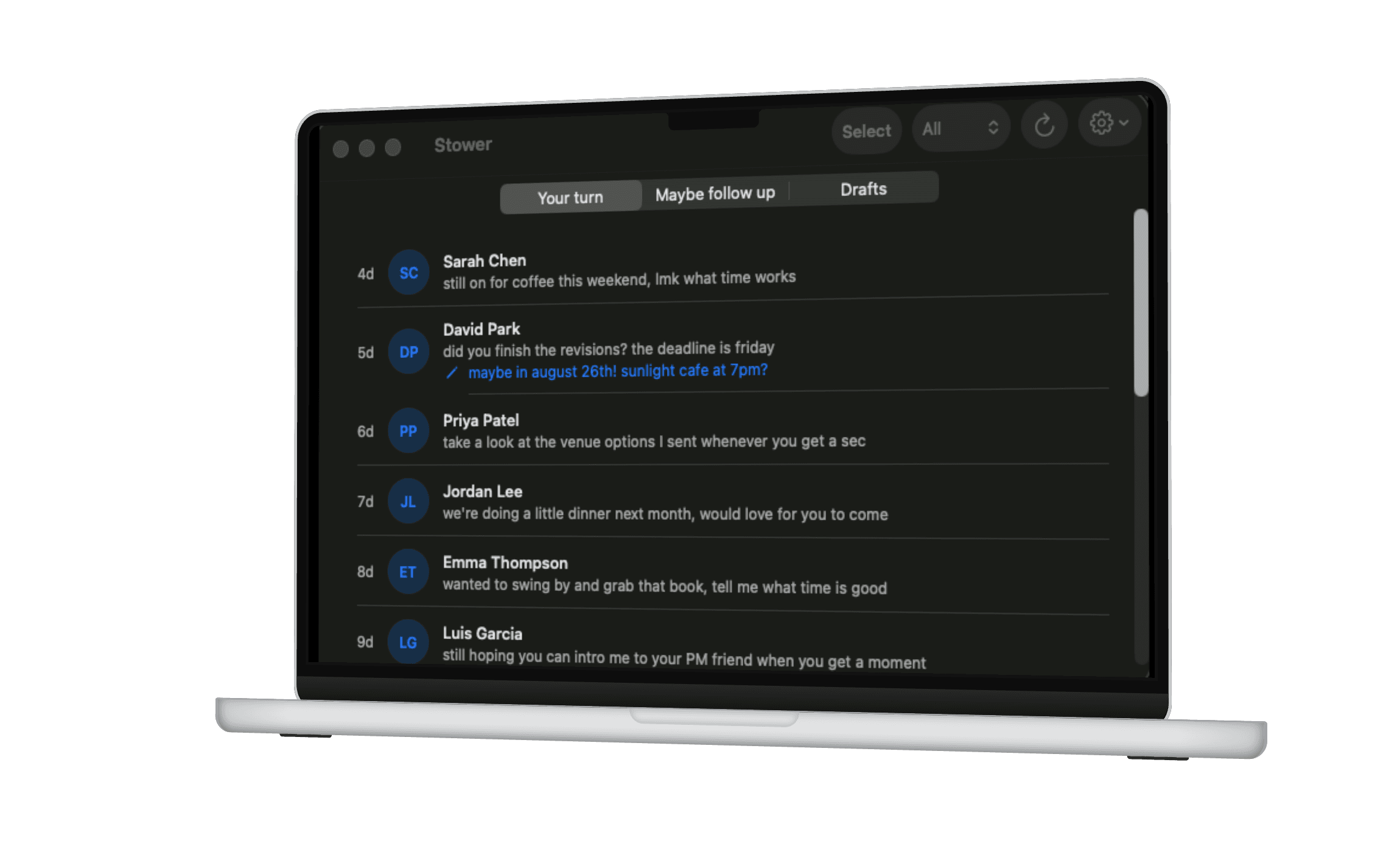
Seven seconds: StowerMessages surfaces a conversation you haven’t gotten back to, and drops you into the exact thread.

Why I made this
I build apps, and StowerMessages came out of a problem I kept having myself.
I got a text from 76 days ago, asking if I wanted to keep organizing a series of events. I forgot to respond. It wasn’t the right time for me, but I meant to let them know sooner instead of letting it wait for that long.
I didn’t want to pin the group chat, and iMessage doesn’t offer any alternative. So I built the thing that helps keep track of your messages and drafts. It runs on your Mac. I can’t see your messages. The source is public.
— Emily Kang
The full walkthrough.
One minute: from an unanswered thread to a reply, staged and ready to send.
This happens to anyone who texts a lot.
iMessage doesn’t track what you meant to do. StowerMessages does.
It’s one long list, sorted by recency, with no memory of intent. A reply you meant to send scrolls off the top. A half-typed draft is invisible the moment you switch threads. StowerMessages shows your drafts in a dedicated draft tab, and in-line.
Three views.
You texted last and got no reply. StowerMessages tracks who to check back in on.
Start a reply and it’s saved the moment you type, no send required. Half-written replies live in their own tab and inline next to the thread, so nothing vanishes when you switch conversations. One click drops it into the exact Messages thread, ready to send.
Not every message needs tracking. StowerMessages filters to what’s actually worth a reply. Dismiss or mute anything anytime, and undo if you change your mind.
It never leaves your Mac.
On-device Apple Intelligence reads your messages and decides what actually needs a reply. Nothing is uploaded. No account, no cloud, no servers.
Source is public: audit it yourself. Polyform Noncommercial.
Try it out on the Mac App Store.
StowerMessages is a Mac app — fully on-device, no account needed. Download it free from the Mac App Store.
Try it outGood to know.
Does this app do any tracking?
No. The Mac App Store version of StowerMessages is privacy-first. It has no analytics, no crash reporting, and makes no network connections. Nothing about how you use the app is collected, and nothing leaves your Mac. For more details, see the Privacy Policy.
Is there a free trial?
Pricing and trial availability are set on the Mac App Store listing. Check the store page for the latest details.
Can I see the source code?
Yes — StowerMessages’s source is public on GitHub. It’s published under the Polyform Noncommercial license.
What are the system requirements?
You need a Mac running a recent version of macOS with the Messages app signed in and Apple Intelligence available. Everything runs on-device.